


MateMet - Live Video Call
3.852.00 Reviews
App Specs
- Version
- 2.2.9
- Updated On
- License
- Free
- Downloads
- 5,000,000+
- Developer
- MateMet Team
- Categories
- Social
- Platform
- Android
Screenshots





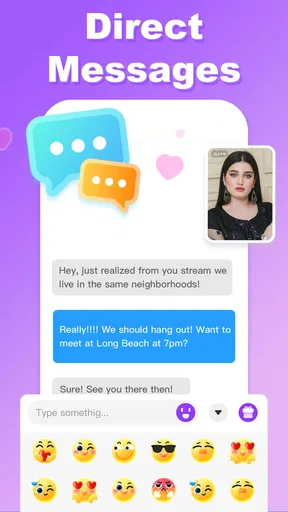
 Analysis by AppCompare
I spent time with MateMet as a social app built around live interaction rather than text-first conversation. Its focus is video calling, live streams, voice rooms, and live video, so the experience feels closer to dropping into an active social space than maintaining a traditional messaging feed. I found that distinction important: people who enjoy meeting others through voice and camera may feel at home here, while anyone looking for a quiet, private messaging tool may find the format too exposed or busy.
MateMet is free to install, although it includes optional purchases ranging from $0.99 to $149.99 per item. It is developed by MateMet Team and is intended for mature users aged 17 and above. The app has passed five million installs and holds an average rating of 3.8 from around sixteen thousand ratings, which suggests a sizeable audience but also a mixed experience across users. I would treat it as a social discovery app to explore carefully, not as an automatic replacement for every video-chat service.
How the interface feels when readability and navigation matter
I find it helpful to think of readability and navigation as part of choosing the right kind of live interaction, not just as a matter of appearance. A slower first visit can show whether the labels and movement between spaces are comfortable on your device; next, the same question becomes how different ways of taking part suit different bodies and communication needs.
Finding the main social areas
The most important thing to understand is that MateMet is organized around live presence. Instead of opening into a purely asynchronous conversation list, you are encouraged to browse active social experiences and decide whether to watch, listen, speak, or start a video interaction. That makes the app immediately understandable for users who already know they want live contact, but it can feel less straightforward if you are trying to complete one simple task quickly.
I found the visual hierarchy easier to follow when I treated each area according to its purpose: video for face-to-face contact, voice rooms for conversations where the camera is not central, and live streams for watching a host or group. This mental separation reduces the feeling of being surrounded by similar-looking social options. New users should spend a few minutes identifying which spaces are interactive and which are mainly for viewing before joining anything.
Readability is especially important in a social app because people often make decisions quickly. A room title, profile label, or invitation can determine whether you enter a conversation, and dense presentation can make that choice tiring. MateMet benefits from being approached in short sessions at first. I would avoid rapidly opening several rooms at once; taking time to read who is present and what the room is about makes the experience more manageable.
Using it without relying on fast visual scanning
MateMet’s central appeal is visual, but that does not mean every interaction has to be camera-led. Voice rooms provide a meaningful alternative for someone who prefers listening and speaking without appearing on screen. This is one of the app’s more useful design choices because it changes the social pressure of participation. A person can join a conversation while focusing on voices rather than faces, lighting, gestures, or a constantly changing video layout.
Worth Reading Before You Choose

EA SPORTS FC Mobile 26 Is a Bigger Football Game, but It Takes Time

Flipboard Shows What News Apps Must Do Beyond the Feed

Switching to Android Auto Means Rethinking Your Driving Routine

Google Calendar Makes a Crowded Week Easier to Manage

Ludo King Makes the Most of the Minutes Between Plans

Baby Panda World Brings Quick Play to Modern Phones, but Its Game Library Feels Busy
That option is also useful for people who become fatigued by small visual elements. Live social interfaces often include several simultaneous cues: who is speaking, who is watching, what is currently live, and which action is available next. Voice-first participation narrows the amount of information competing for attention. I would choose it when I want conversation but not the visual workload of a video call.
On the other hand, users who need very large text, strong contrast, or highly predictable navigation should test the app on their own device before committing to regular use. I would not assume that a visually lively interface will suit every reader equally well. The practical approach is to check whether labels remain comfortable to read, whether controls are easy to distinguish, and whether moving between live areas feels consistent during a real session rather than judging only from the first launch.
A sensible first-session workflow
My preferred starting routine is simple. I first browse without joining, then try a voice room, and only afterward consider video. This sequence helps separate the app’s social mechanics from the pressure of appearing on camera. It also gives a new user a chance to understand how live spaces feel before making a more visible choice.
Another useful habit is to decide in advance what kind of interaction you want. If I am looking for background conversation, a voice room makes more sense. If I want a direct exchange with another person, video calling is the more natural route. If I only want to observe, a live stream is less demanding. Choosing the interaction type before opening the app makes MateMet feel less overwhelming and reduces accidental participation.
Motor, sensory, and communication considerations
I would weigh voice, video, and viewing as separate ways to participate rather than expecting one mode to work for everyone. That choice can make a session more comfortable, but sound, screen attention, and touch still shape the experience; the next consideration is how those demands change with the place and moment in which I use the app.
Why voice rooms can make participation easier
For users with limited comfort using touch controls, voice rooms may be the most practical part of MateMet. A camera-based conversation can require repeated adjustments: switching views, managing the phone’s position, checking framing, and reacting to visual prompts. Voice conversation removes much of that physical setup. It can be a better fit when holding a phone steady is uncomfortable or when the user wants to keep the device beside them rather than directly in front of their face.
Voice participation also supports people who communicate more comfortably through speech than through typing. That matters in a social app where the point is immediate connection. Someone who finds text entry slow, tiring, or difficult may get more value from speaking naturally. The trade-off is that voice rooms can be harder for people who rely on captions, visual speech cues, or written communication, so the same feature that improves access for one person may reduce access for another.
Video is expressive but physically demanding
Live video can create a warmer sense of contact than text, but it asks more from the user. The phone needs to be positioned well, the face needs to remain visible if the conversation is camera-led, and the user may need to monitor several visual changes at once. For someone with tremors, limited reach, fatigue, or sensitivity to bright screens, a long video session may become uncomfortable even when the conversation itself is enjoyable.
I would approach video as an optional layer rather than the default measure of participation. A user can still benefit from MateMet while favoring audio-based interaction. For people who do choose video, shorter sessions and a stable phone position are more realistic than expecting continuous handheld use. The app’s value should not be judged only by how confidently someone appears on camera.
Sound, privacy, and sensory load
Live social spaces can be unpredictable in volume and pace. A room may move quickly from one speaker to another, while a stream can demand sustained listening without much control over the rhythm. Users who are sensitive to sudden sound or overlapping voices may prefer quieter periods and smaller conversations. Headphones can help separate speech from surrounding noise, but they may not suit everyone, particularly people who experience discomfort from in-ear audio or need to remain aware of their environment.
There is also a social sensory load that is easy to overlook. Seeing unfamiliar faces, hearing several voices, and deciding when to speak can be tiring even when the controls are technically simple. I found it useful to treat participation as something I could pace rather than something I had to maintain continuously. Leaving a room is not a failure; it is part of using a live platform responsibly.
Communication beyond spoken conversation
MateMet is strongest for immediate voice and video interaction, so users who depend on text as their primary communication method should think carefully about fit. The app may still be interesting for watching live content, but its central design encourages real-time social exchange. That makes it less suitable for someone who needs every important interaction to be written, reviewable, and easy to revisit.
It is also not the first app I would choose for formal group meetings, structured collaboration, or family communication where everyone already knows one another. Conventional video-call tools usually provide a clearer purpose and more predictable attendance. MateMet makes more sense when discovery and spontaneous social contact are part of the goal.
Situational access in everyday use
For me, a live social app is most useful when its format fits the setting: a quiet, private moment is very different from a shared room or a noisy commute. Thinking through that context before joining helps protect both attention and privacy, and it also makes the remaining limitations easier to judge without mistaking them for problems every user will experience equally.
A realistic evening scenario
Imagine finishing work or study and wanting company without arranging a call in advance. I would open MateMet, browse the live options, and start with a voice room while doing something low-effort nearby. If the conversation feels comfortable, I could continue listening or contribute. If I want a more direct exchange, I could move toward video. This is where the app feels distinct from ordinary messaging: it offers a chance to enter an already active social moment instead of waiting for replies.
That same scenario changes when the environment is noisy, public, or shared with other people. A live conversation may expose private speech to those nearby, and video may reveal surroundings that the user did not intend to show. I would avoid joining from a workplace, classroom, public transport, or any room where background voices and personal details could be captured. MateMet is more practical when the user has control over the immediate setting.
Using the app with limited time or energy
MateMet can suit short bursts of social contact. A user who has only a few minutes may watch a stream or listen briefly in a voice room without arranging a full appointment. That flexibility is useful for people whose energy varies during the day. It is also a good reason not to think of the app only as a place for long calls.
However, live discovery can become a time trap. The open-ended nature of streams and rooms encourages browsing, and the next conversation may always appear more interesting than the last. I recommend setting a personal stopping point before entering. This is particularly helpful for users who find rapid social switching tiring or who need to protect sleep, study time, or work routines.
When a different app is the better choice
If I need a dependable call with relatives, I prefer a familiar service where participants already know the meeting link or contact list. If I need written accessibility, searchable history, or carefully controlled group communication, a messaging platform is usually more appropriate. If I want public broadcasting with a strong creator-focused workflow, a dedicated streaming service may offer clearer tools.
MateMet earns its place when the goal is live social discovery: browsing active conversations, joining voice-led spaces, watching streams, or trying video contact with people outside an established circle. That focus is both its appeal and its boundary. It is not trying to be a universal communication utility, and I would not use it as one.
Remaining barriers and practical cautions
I would treat the final cautions as practical boundaries, not reasons to assume the app is unsuitable for everyone. A brief trial in a comfortable setting can clarify whether the live format, device, and spending choices fit my habits; from there, I can decide whether MateMet offers enough recurring value to keep using after the initial curiosity passes.
Live interaction requires personal boundaries
The mature age rating is important because the social environment is intended for adults and may involve conversations or situations that are not appropriate for younger users. I would be cautious about sharing personal details, moving conversations elsewhere too quickly, or assuming that a friendly interaction is automatically trustworthy. Live video can reveal more than intended, including a face, voice, room layout, and daily routine.
Users should decide beforehand what they are comfortable showing and saying. A neutral background, limited profile information, and a willingness to leave uncomfortable rooms are sensible habits. These are not reasons to avoid the app entirely, but they are essential when using any service centered on meeting people in real time.
Purchases deserve attention
The app is free, but optional in-app purchases can reach $149.99 per item. That range makes it worth reviewing every purchase screen carefully, especially if live interaction encourages quick decisions or repeated support for hosts and social activities. I would set a device-level spending limit and avoid buying anything simply because a conversation creates pressure to respond immediately.
This is also a point where the app may be a poor fit for households sharing a device or payment method. A mature social environment combined with optional spending calls for clear account boundaries. Anyone who wants a completely cost-free experience should be prepared to ignore paid options rather than assuming every part of the service works without them.
Performance depends on the situation
Video and live audio are more demanding than text, particularly when the connection is unstable or the device is already busy. A weak connection can make conversation frustrating, while a noisy location can make a technically successful call difficult to follow. I would test the app in the environment where I expect to use it most, not only on a strong home connection.
The current version is 2.2.9 and supports devices running Android 7.0 or later. That broad system compatibility is helpful for people who do not own a recent phone, although an older device may still make live video less comfortable than the operating-system requirement alone suggests. Users with limited storage, battery capacity, or processing power should try a short session before planning to use the app for extended periods.
Who should skip it
I would skip MateMet if I want a strictly private contact list, if I dislike meeting unfamiliar people, or if I need communication to remain primarily written. I would also avoid making it my main social tool if live video causes sensory fatigue or if I cannot comfortably control my surroundings. The app’s strengths depend on openness and immediacy, so those same qualities can become drawbacks.
It may also be unsuitable for someone who has difficulty resisting optional purchases or who wants a platform with a clearly defined professional purpose. MateMet is social and spontaneous; it is not a calendar-driven meeting room or a simple family phonebook.
My inclusive verdict on MateMet
After using it as a live social app, I see MateMet as most valuable for people who want several ways to participate: watching a stream, listening in a voice room, or moving into video when they feel ready. That range gives users some control over visibility and effort. In particular, voice rooms are a meaningful alternative for anyone who wants real-time connection without the physical and social demands of appearing on camera.
Its accessibility is practical rather than universal. The app can accommodate different energy levels and communication preferences, but live interaction still brings barriers involving sound, vision, motor control, privacy, social pressure, and spending. I would recommend approaching it gradually, starting with observation or voice, checking how readable and manageable the interface feels, and keeping firm boundaries around personal information and purchases.
MateMet Team has built an app with a clear identity: spontaneous live contact for a mature audience. Its 3.8 average shows that the experience will not suit everyone, and I understand why. The platform can feel engaging when I want an active conversation without arranging one first, yet less comfortable when I need predictability, written communication, or a tightly controlled audience.
My recommendation is conditional but positive: try MateMet if live social discovery appeals to you and you value the choice between video, voice, and viewing. Start slowly, use the format that matches your abilities and surroundings, and treat paid options with care. If your priority is dependable private communication or a fully text-based experience, another category of app will serve you better.
Pros
- Quick matching makes it easy to meet new people worldwide.
- Video calls feel more personal than text-only conversations.
- Simple interface is easy for first-time users to navigate.
- Useful filters help narrow down potential conversation partners.
- In-app reporting tools can help flag inappropriate behavior.
Cons
- Some features may require coins or paid subscriptions.
- The quality of matches can vary significantly by location.
- Video calls may consume substantial mobile data and battery.
- Privacy risks exist when sharing personal details with strangers.
- Availability of users may be limited during quieter hours.
FAQs for MateMet - Live Video Call
What is MateMet - Live Video Call, and how does it work?
MateMet - Live Video Call is a social communication app designed for meeting people through live video calls and online conversations. After creating a profile, you can browse available users, start chats, and potentially connect through video. The experience generally depends on who is online, your profile preferences, and the app’s matching or discovery features.
Is MateMet - Live Video Call free to download and use?
The app may be available to download at no initial cost, but some communication features can require in-app purchases, virtual credits, subscriptions, or other paid options. Before starting a call or sending messages, check the displayed pricing carefully. Store listings and payment conditions can change, so review the current terms on Google Play or the App Store.
Do I need to create an account or share personal information?
Most social video-call services require an account so they can create a profile and provide access to messaging or live calls. You may be asked for information such as a nickname, age, gender, profile photo, or location preferences. Avoid sharing sensitive details, including your home address, financial information, passwords, or private documents, with people you meet through the app.
Is MateMet - Live Video Call safe for everyone?
Video-chat platforms can connect you with unknown people, so the app should be used carefully and according to its age requirements. Do not assume that every profile is genuine, and stop communicating if someone behaves suspiciously, pressures you, requests money, or asks for inappropriate content. Use available blocking and reporting tools, and review the privacy settings before making your profile visible.
What should I check before downloading and making video calls?
Before downloading MateMet - Live Video Call, check whether your Android or iOS device meets the app’s requirements and whether you have a stable internet connection. Video calls can use considerable mobile data and battery power. Also review microphone and camera permissions, the privacy policy, subscription details, cancellation rules, and recent user reviews to understand the current experience.


